How to Use Energy Saving Mode on a Samsung Jet Bot Combo
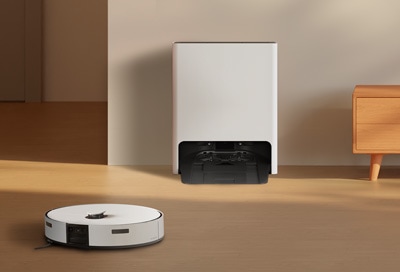
How to Activate Energy Saving Mode on Samsung Jet Bot Combo
To activate Energy Saving Mode on your Samsung Jet Bot Combo, follow the steps below. This feature temporarily turns off the robot vacuum to preserve energy when cleaning is not required.
1. How to Turn On Energy Saving Mode
- Open the SmartThings app on your smartphone.
- Select your Samsung Jet Bot Combo from the list of connected devices.
- Tap on the "Settings" icon (gear symbol).
- Choose "Power Settings" or "Energy Saving Mode."
- Toggle the switch to enable Energy Saving Mode.
2. What Happens When Energy Saving Mode Is Activated?
Once Energy Saving Mode is enabled, your Samsung Jet Bot Combo will power down completely. This means:
- The robot vacuum will not perform any cleaning tasks.
- You cannot control the device via the SmartThings app.
- The device will resume normal operation when Energy Saving Mode is deactivated.
3. Why Use Energy Saving Mode?
Energy Saving Mode is ideal for conserving battery life when you don't need the Jet Bot Combo for extended periods, such as during vacations or overnight.
4. Supported Samsung Jet Bot Combo Models
This feature is available on the following Samsung Jet Bot Combo models:
- Samsung Jet Bot Combo Advanced
- Samsung Jet Bot Combo Premium
5. Additional Things to Check
Ensure your SmartThings app is updated to the latest version for optimal functionality. If Energy Saving Mode does not work as expected, restart both the app and the Jet Bot Combo.
Related Samsung Support Topics
Thank you for your feedback!
Please answer all questions.