Samsung Jet Bot Combo troubleshooting
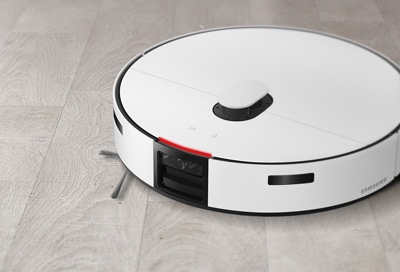
If your Samsung Jet Bot Combo is experiencing issues such as cleaning errors, connectivity problems, or sensor malfunctions, follow these troubleshooting steps to resolve the problem efficiently. Common issues include foreign matter obstructing sensors, Wi-Fi connectivity failures, and SmartThings app registration errors.
1. Why is my Samsung Jet Bot Combo not working at all?
If your Samsung Jet Bot Combo is not functioning, check the LED status indicator and ensure the battery is charged. Place the vacuum on the Clean Station to charge it if the LED is red. Note that buttons will not work until charging is complete.
2. Why did my Samsung Jet Bot Combo stop during cleaning?
If your Samsung Jet Bot Combo stops during cleaning, ensure the LED status indicator is not red, indicating a need for charging. Remove obstacles or foreign matter from the driving wheels and check no-go zones in the SmartThings app.
3. Why is the suction power of my Samsung Jet Bot Combo weak?
Weak suction power may result from a dust-filled dustbin or a blocked brush. Set the vacuum to power-saving mode and empty the dustbin or clean the brush to restore suction power.
4. Why can't my Samsung Jet Bot Combo find the Clean Station?
Ensure there is no power failure or unplugged power cord. Remove obstacles around the Clean Station and clean the charging terminals with a soft cloth if foreign matter is present.
5. Why are the mops of my Samsung Jet Bot Combo not operating properly?
Check for foreign matter by detaching the Mop Spin board. If the issue persists, contact Samsung Customer Service for further assistance.
6. Why is my Samsung Jet Bot Combo cleaning in Dust Suction mode when set to Mop/Mop + Dust Suction mode?
Ensure the Mop Spin board is properly assembled on both sides. If the issue continues, contact Samsung Customer Service.
7. Why is my Samsung Jet Bot Combo cleaning diagonally?
Diagonal cleaning may occur if the Clean Station is installed along the grain of wooden or tile flooring. The vacuum may also move diagonally depending on obstacles or the shortest route to the Clean Station.
8. Why does my Samsung Jet Bot Combo not clean certain areas?
Ensure the Clean Station is not placed in a narrow hallway or near a door. Check no-go zones in the SmartThings app and ensure the vacuum operates parallel to the walls.
9. Why can't my Samsung Jet Bot Combo find a room?
Ensure the vacuum begins cleaning from the Clean Station and operates parallel to the walls. Remove obstacles directly in front of and to the sides of the Clean Station.
10. Why is the map created by my Samsung Jet Bot Combo different from the saved cleaning map?
If the Clean Station is moved to a new location, the vacuum will clean all areas regardless of the cleaning map. Ensure the vacuum begins cleaning from the Clean Station and operates parallel to the walls.
11. Why does my Samsung Jet Bot Combo not detect areas and cross no-go zones?
Ensure the vacuum begins cleaning from the Clean Station. If it does not, the set no-go functions will not work.
12. Why does the Intelligent Power Control function not work on my Samsung Jet Bot Combo?
The Intelligent Power Control function may not work if the vacuum recognizes a brightly colored carpet with short fibers as a floor. Check the floor's evenness and color, and ensure the Cliff Sensor is free of foreign matter.
13. Why does my Samsung Jet Bot Combo make a squeaking sound while cleaning?
A squeaking sound may result from the brush cover not being properly assembled or friction between the rubber sweep and the floor. Contact Samsung Customer Service if the issue persists.
14. Why can't I install the SmartThings app on my phone?
Ensure your phone is compatible with the SmartThings app by checking the Google Play Store or Apple App Store. Rooted smart devices may not support standard installation and use.
15. Why can't my Samsung Jet Bot Combo connect to the SmartThings app?
Ensure the Jet Bot Combo is connected to a Wi-Fi network. Restart the SmartThings app and disconnect and reconnect your phone and wireless router if necessary.
16. Why is my Samsung Jet Bot Combo appearing offline in the SmartThings app?
Restart the SmartThings app and check for internet connection issues. If the connection fails repeatedly, try registering the product again or turn off power-saving mode on the Jet Bot Combo.
17. Why can't I save a map in the SmartThings app?
Register the product with the SmartThings app before creating a map. Ensure the vacuum starts cleaning from the Clean Station and completes one cycle of Auto Clean mode to save the map.
18. Why is there a delay when controlling my Samsung Jet Bot Combo using my phone?
A delay may occur if the Jet Bot Combo and your phone are not connected to the same Wi-Fi network. Ensure both devices are on the same network for optimal performance.
19. Why did my Samsung Jet Bot Combo fail to detect pet waste?
The Jet Bot Combo may fail to detect pet waste if it is located in the dead zone of the object recognition sensor, blends in with the floor, or is smaller than 2 cm by 3 cm in size. Direct or reflected sunlight may also hinder detection.
Thank you for your feedback!
Please answer all questions.