How to Connect a Samsung Jet Bot Combo to SmartThings
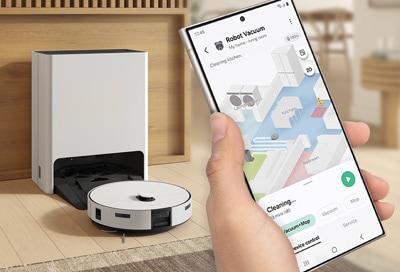
To use your Samsung Jet Bot Combo with the SmartThings app, first ensure the device is added to the app. Once connected, you can access various features such as cleaning modes, scheduling, map customization, and maintenance alerts. Follow the steps below to explore these functionalities and optimize your cleaning experience.
1. How to Connect Your Samsung Jet Bot Combo to SmartThings
- Open the SmartThings app on your smartphone.
- Navigate to the location where your Jet Bot Combo is stored.
- Tap the device's card to access its features.
2. Available SmartThings Features for Samsung Jet Bot Combo
- Cleaning Report: View up to 50 recent cleaning histories and results.
- Cleaning Mode: Choose between Dust Suction, Mop, or both. Ensure the mop pad is attached for Mop modes to avoid water spills.
- Suction Power: Adjust to Max, Smart, Normal, or Quiet settings.
- Driving Mode: Select area cleaning, wall cleaning, or zigzag mode.
- Water Level: Adjust the water spray level for mopping.
- Scheduled Cleaning: Set a specific time for the Jet Bot Combo to start cleaning.
- Downtime: Schedule when the Jet Bot Combo stops cleaning and returns to the Clean Station.
- Home Monitoring: Use the front camera via the SmartThings app. Disable by pressing the Start/Stop and Charging buttons simultaneously for 3 seconds.
- Clean Station Maintenance: Check the status of the Clean Water Tank, Waste Water Tank, and Dust Bag. Enable Mop washing, drying, and Dustbin emptying.
- Manage Map: Set exclusion zones, rename furniture, and create or remove maps.
- Driving Settings: Customize driving, mopping, and obstacle options.
- Room Customization: Set cleaning modes for individual rooms.
- Mop Washing Interval: Define when and where the Mop cleans.
- Find Robot Vacuum: Play a sound to locate the Jet Bot Combo.
- Lights: Enable or disable charging lights.
- Sound: Customize sound effects and voice style.
- Language: Choose from up to 14 available languages.
3. Additional Things to Check
- Certain features may only be available with the Bespoke Jet Bot Combo AI model.
- If no map is saved, the Jet Bot Combo will use the Auto Clean function.
- The Jet Bot Combo performs a weekly system check and restart.
4. Supported Samsung Jet Bot Combo Models
The SmartThings app supports the Samsung Jet Bot Combo and Bespoke Jet Bot Combo AI models. Ensure your device is compatible with the app for optimal functionality.
5. Related Samsung Support Topics
Thank you for your feedback!
Please answer all questions.