Install Samsung Jet Bot Combo & Clean Station
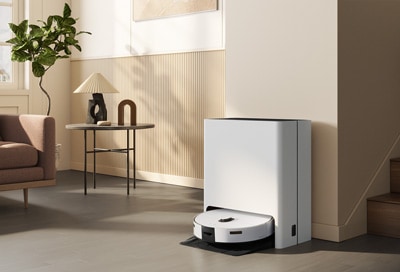
How to Set Up Samsung Jet Bot Combo and Clean Station
To set up your Samsung Jet Bot Combo and Clean Station, ensure both are assembled correctly and placed in a suitable location. This guide covers step-by-step installation, key considerations for placement, and tips to avoid common setup issues.
1. Assembling the Samsung Jet Bot Combo
Before using your Samsung Jet Bot Combo for the first time, follow these steps:
- Remove the Spin Brush Cover from the Jet Bot Combo to ensure proper operation during cleaning.
- Check that all components, such as the dustbin and filters, are securely installed.
- Charge the Jet Bot Combo fully before first use by placing it on the Clean Station.
2. Installing the Clean Station
Proper installation of the Clean Station ensures seamless charging and automatic dustbin emptying. Follow these steps:
- Place the Clean Station on a flat, level surface where the floor meets the wall evenly.
- Ensure there is at least 0.5 meters of clearance on each side and 1.0 meter in front of the Clean Station to allow the Jet Bot Combo to dock easily.
- Keep the area around the Clean Station free of objects to prevent interference with the Jet Bot Combo's navigation and docking process.
3. Additional Things to Check
- If the Clean Station is moved from its original location, you may need to recreate the cleaning area map using the SmartThings app.
- Ensure the Clean Station is connected to a power source and functioning properly before placing the Jet Bot Combo on it.
- Regularly inspect the Clean Station's dustbin capacity and empty it when full to maintain optimal performance.
4. Supported Samsung Jet Bot Combo Devices
This setup guide applies to the following Samsung Jet Bot Combo models:
- Samsung Jet Bot Combo AI+
- Samsung Jet Bot Combo Advanced
5. Why the Issue Happens
- Incorrect placement of the Clean Station can prevent the Jet Bot Combo from docking properly.
- Obstructions around the Clean Station may interfere with the Jet Bot Combo's navigation and charging process.
- Moving the Clean Station after initial setup may disrupt the cleaning area map, requiring reconfiguration.
Related Samsung Support Topics
Thank you for your feedback!
Please answer all questions.