How to Choose the Right Galaxy Ring Size
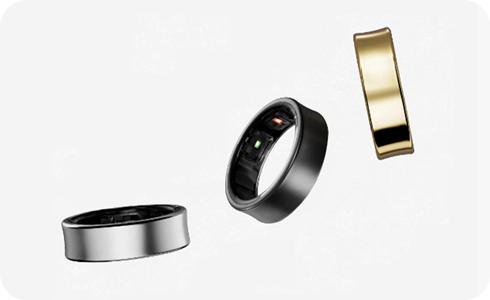
How to Choose the Right Galaxy Ring Size and Material
Choosing the correct Galaxy Ring size and understanding its material composition ensures optimal comfort and accurate health tracking. The Galaxy Ring is available in nine sizes (Size 5 to Size 13), but due to differences in internal design and materials, using the Sizing Kit is essential for an accurate fit.
1. Why is the Galaxy Ring Sizing Kit Important?
The Galaxy Ring's internal structure differs from standard rings, making it crucial to use the Sizing Kit for precise measurements. The Sizing Kit is made of PC (Polycarbonate), while the actual Galaxy Ring uses Ti (Titanium) with epoxy molding, resulting in a slight size discrepancy of up to 0.1mm.
- The Sizing Kit helps determine the correct size for a comfortable fit.
- Material differences between the kit and the ring may affect fit accuracy.
2. How to Measure Your Finger for the Galaxy Ring
- Use the Sizing Kit provided with your Galaxy Ring purchase.
- Slide the Sizing Kit onto your finger and ensure it fits snugly without being too tight.
- Check for any discomfort or slippage during movement.
- Select the size that feels most comfortable and secure.
3. Can I Wear the Galaxy Ring on Any Finger?
Yes, the Galaxy Ring can be worn on any finger as long as it fits correctly and the sensors face your palm for accurate health tracking. However, the Double Pinch gesture control feature is optimized for the index finger.
- Proper sensor alignment ensures accurate health data tracking.
- The index finger is recommended for optimal gesture control performance.
4. Supported Samsung Galaxy Devices
The Galaxy Ring is compatible with Samsung Galaxy smartphones, including the Galaxy S24, Galaxy S25, Galaxy S26, Galaxy Z Fold, and Galaxy Z Flip series.
5. Additional Things to Check
Before finalizing your Galaxy Ring size, consider these factors:
- Measure your finger at different times of the day, as swelling can affect size.
- Ensure the ring does not interfere with daily activities or cause discomfort.
Related Samsung Support Topics
Thank you for your feedback!
Please answer all questions.