Use Auto Detect Workouts with Galaxy Ring
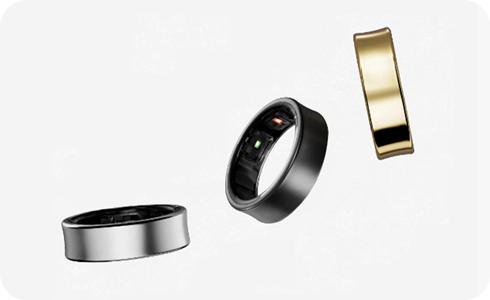
How to Enable Auto Detect Workouts on Samsung Galaxy Ring
The Samsung Galaxy Ring automatically detects workouts when worn during continuous exercise, recording key metrics like exercise type, duration, and calories burned. If activity pauses for over a minute, the session ends automatically. This feature relies on built-in sensors and requires proper setup in the Galaxy Wearable app.
1. Supported Exercise Types for Auto Detection
The Galaxy Ring supports auto-detection for common activities such as walking, running, and other forms of cardio. To view the full list:
- Open the Galaxy Wearable app on your connected smartphone.
- Navigate to Health Settings and enable Activities to detect.
- Set detailed preferences for walking and running detection thresholds.
2. How the Auto Detect Workouts Feature Works
The Galaxy Ring uses acceleration and heart rate sensors to monitor physical activity. It calculates exercise duration and estimates calories burned based on movement patterns and physiological data. Results may vary due to individual differences in walking style, fitness level, and daily routines.
- The feature starts automatically when continuous motion is detected.
- It stops recording after a minute of inactivity.
- Calorie estimates are based on sensor data and user profile information.
3. Enabling Location Tracking for Workouts
To record exercise routes, ensure location services are enabled on your connected phone. The Galaxy Ring uses the phone's GPS for location tracking, so the device must remain within range during workouts.
- Go to your phone's Settings app.
- Enable Location Services.
- In the Galaxy Wearable app, turn on location tracking under Activity Settings.
4. Additional Things to Check
For optimal performance, consider these tips:
- Ensure the Galaxy Ring is properly fitted and worn consistently.
- Keep the Galaxy Wearable app updated to the latest version.
- Maintain a stable Bluetooth connection between the Ring and your phone.
5. Supported Samsung Galaxy Devices
The Galaxy Ring is compatible with select Samsung smartphones, including Galaxy S24, Galaxy S25, Galaxy Z Fold, Galaxy Z Flip, and Galaxy A series devices running Android 10 or later.
Related Samsung Support Topics
Thank you for your feedback!
Please answer all questions.